
Right now, on this page
Run the mesh demo
Send a test SOS across the phones at the top of this page and read each step as it happens: saved, carried, stored online, alerted. It runs in your browser and sends nothing.
Run the demoNo service. Still reachable.
When cell towers and Wi-Fi go down, BlueMesh carries your SOS across nearby phones over Bluetooth until one of them reaches the internet. Then the people near you are alerted.
Send a test SOS through the mesh behind this page.
Or tap any phone in the mesh. It all happens in your browser: nothing is sent anywhere.
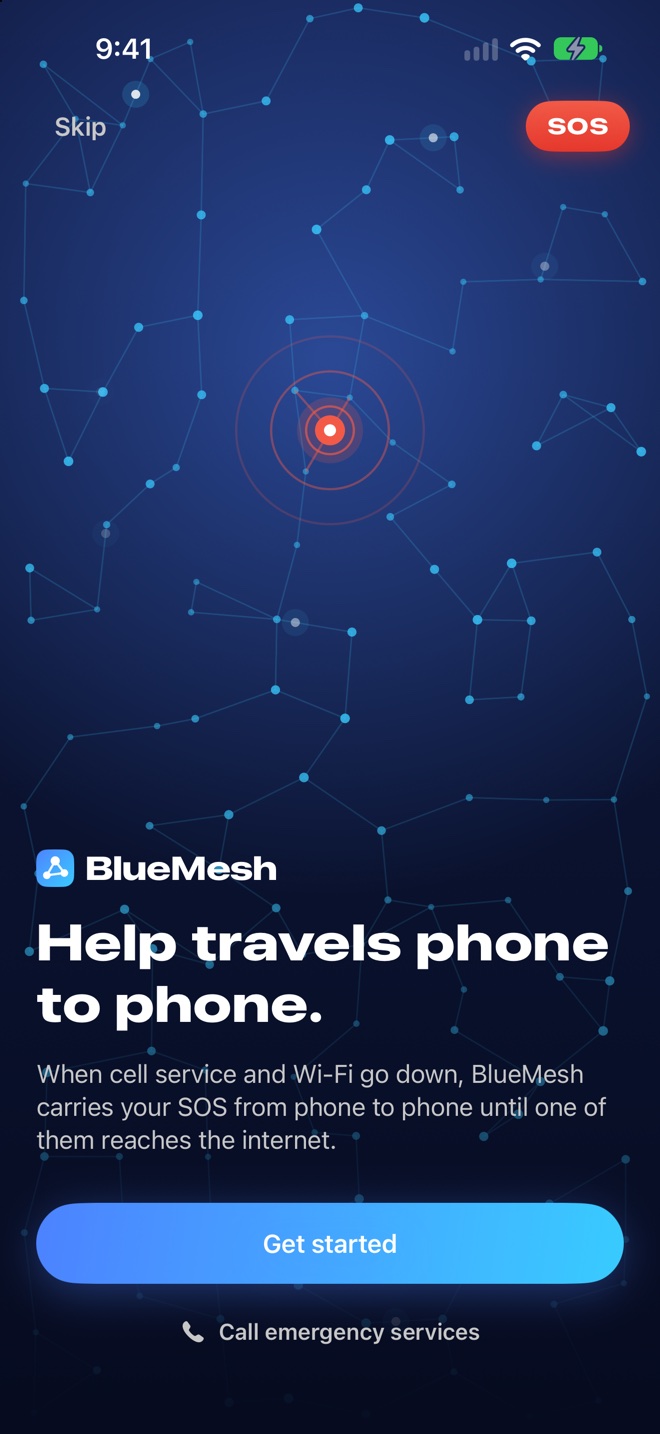
Your phone doesn't need to get online again. It only needs to meet another phone running BlueMesh.
Tap Rescue, Medical, Trapped or Supplies. The report is written to your phone with where you are before anything is sent.
Phones that help carry reports pick it up over Bluetooth, keep a copy and pass it on at the next meeting. There's no hop limit.
The first phone with a working connection uploads it, once. Copies arriving later never create a second emergency.
Participating phones within about 3 km of your pin get an alert, and operations teams see it on their dashboard.
BlueMesh is in testing. It isn't on the App Store or TestFlight yet, so today there are two ways to try it.
Right now, on this page
Send a test SOS across the phones at the top of this page and read each step as it happens: saved, carried, stored online, alerted. It runs in your browser and sends nothing.
Run the demoIn person
Ask Rishabh Bansal for a two-device trial. You hold one device, he holds the other, and your SOS travels between them over Bluetooth.
Big targets, plain words and one job per screen, so it works when your hands are shaking.
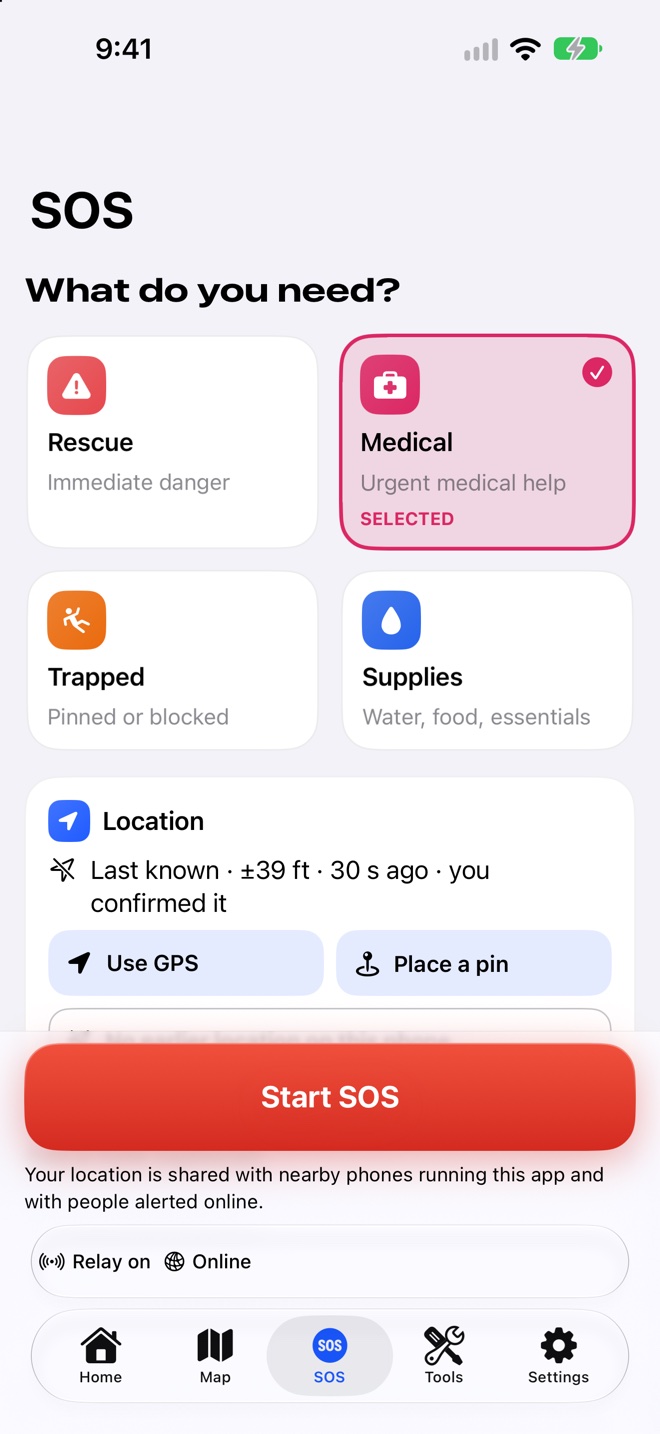
Choose what you need, confirm where you are, and start. Your location card says exactly where the pin came from.
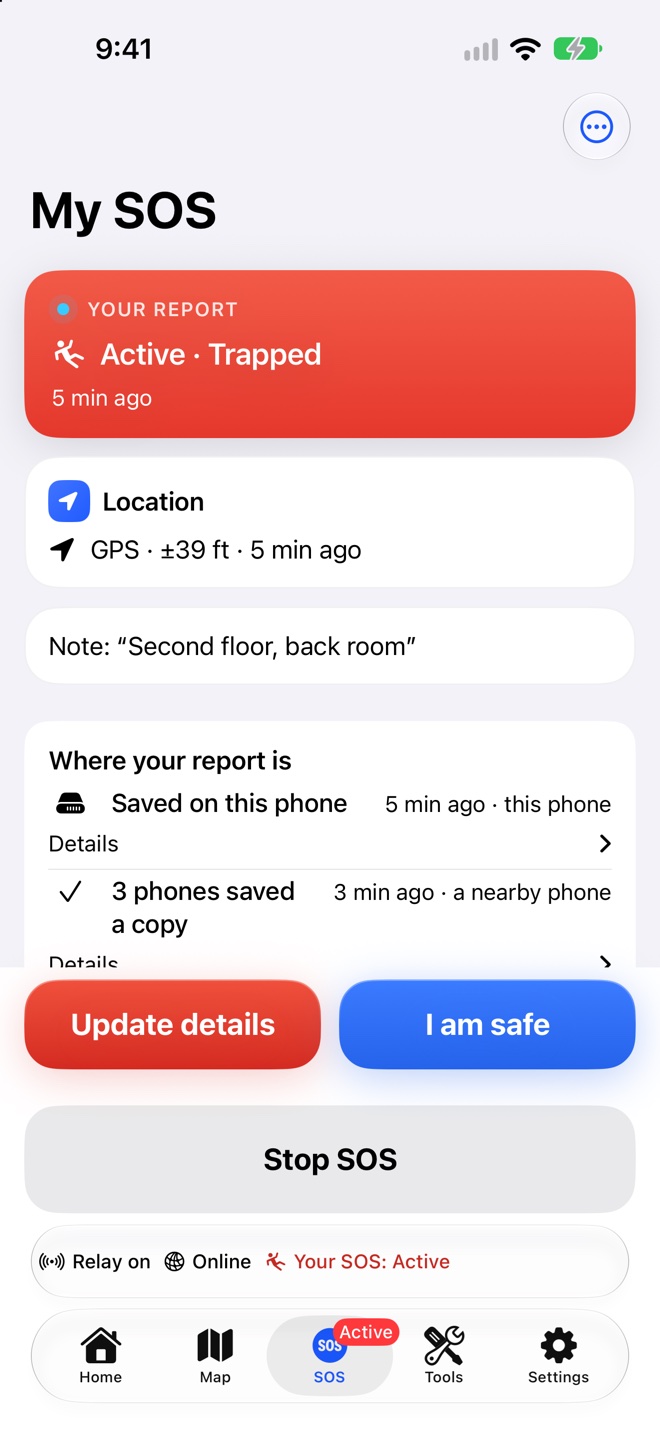
Saved on this phone, carried by three others, stored online: every step shows when it happened.
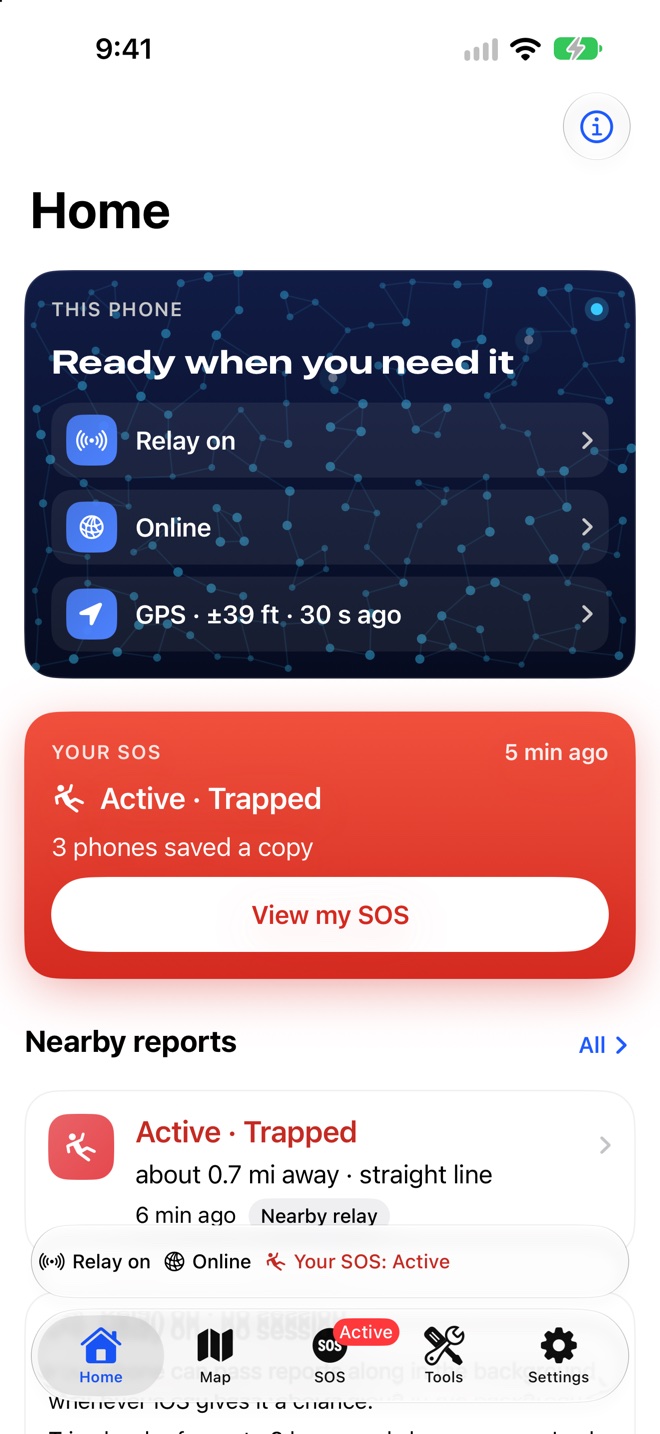
Reports close to you, how far away they are and how they arrived, with your own phone's status at a glance.
No name, no phone number, no message text. Small enough to hop between phones in a fraction of a second.
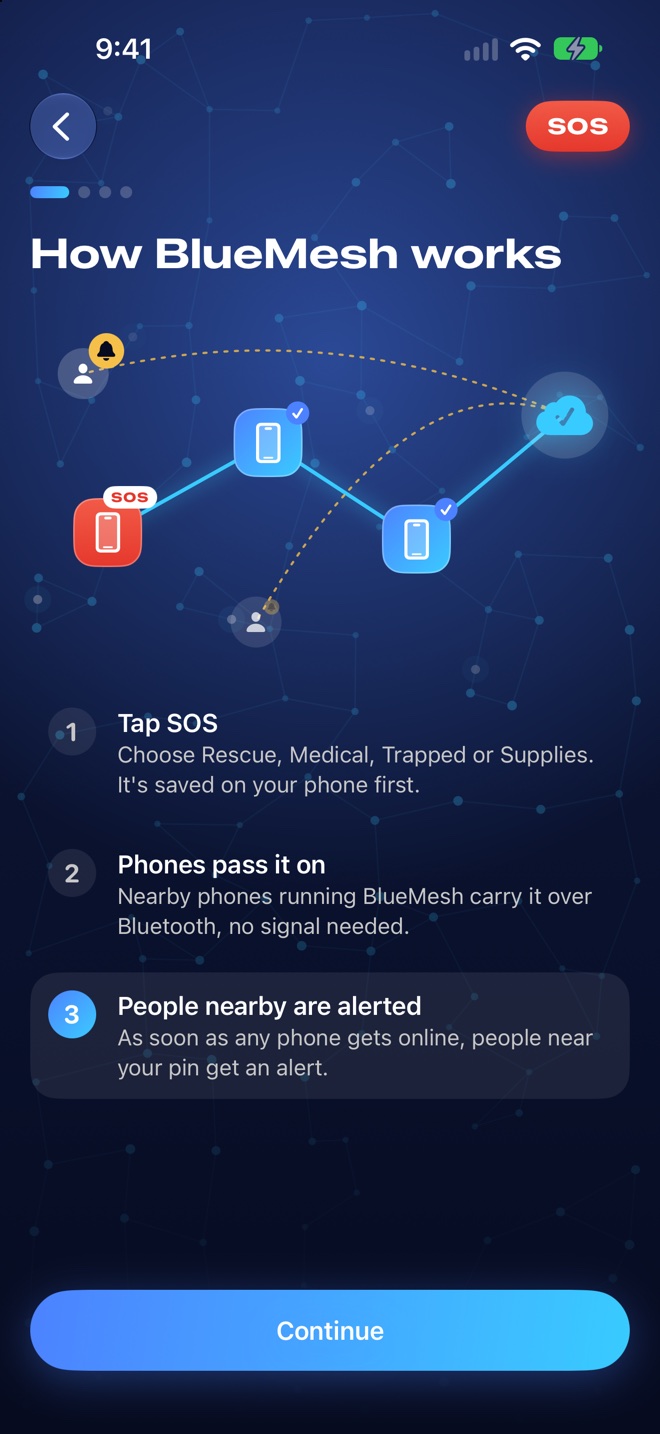
A short tour shows how a report travels, then asks for location, Bluetooth and notifications one at a time.
Bluetooth carries the report, so a dead network doesn't stop it. Your phone keeps relaying even while it's locked.
Allergies, medications and who to call, kept in your phone's Keychain for anyone helping you. Never sent with an SOS.
Download your area ahead of time, and keep first-aid and disaster guides on the phone, readable with no connection.
Choose Balanced, Battery Saver or Bridge. The SOS itself is never slowed down by any of them.
An SOS has to say where help is needed. Everything else is kept to the minimum, for a fixed time.
Only the 27 bytes: a random sender id, the type, the location and the time. Your note never travels over Bluetooth.
Reports are deleted 30 days after they end. Uploaders' locations are erased after 24 hours.
No ads, no analytics, no trackers, and no account. Your phone's identity is anonymous and created for you.
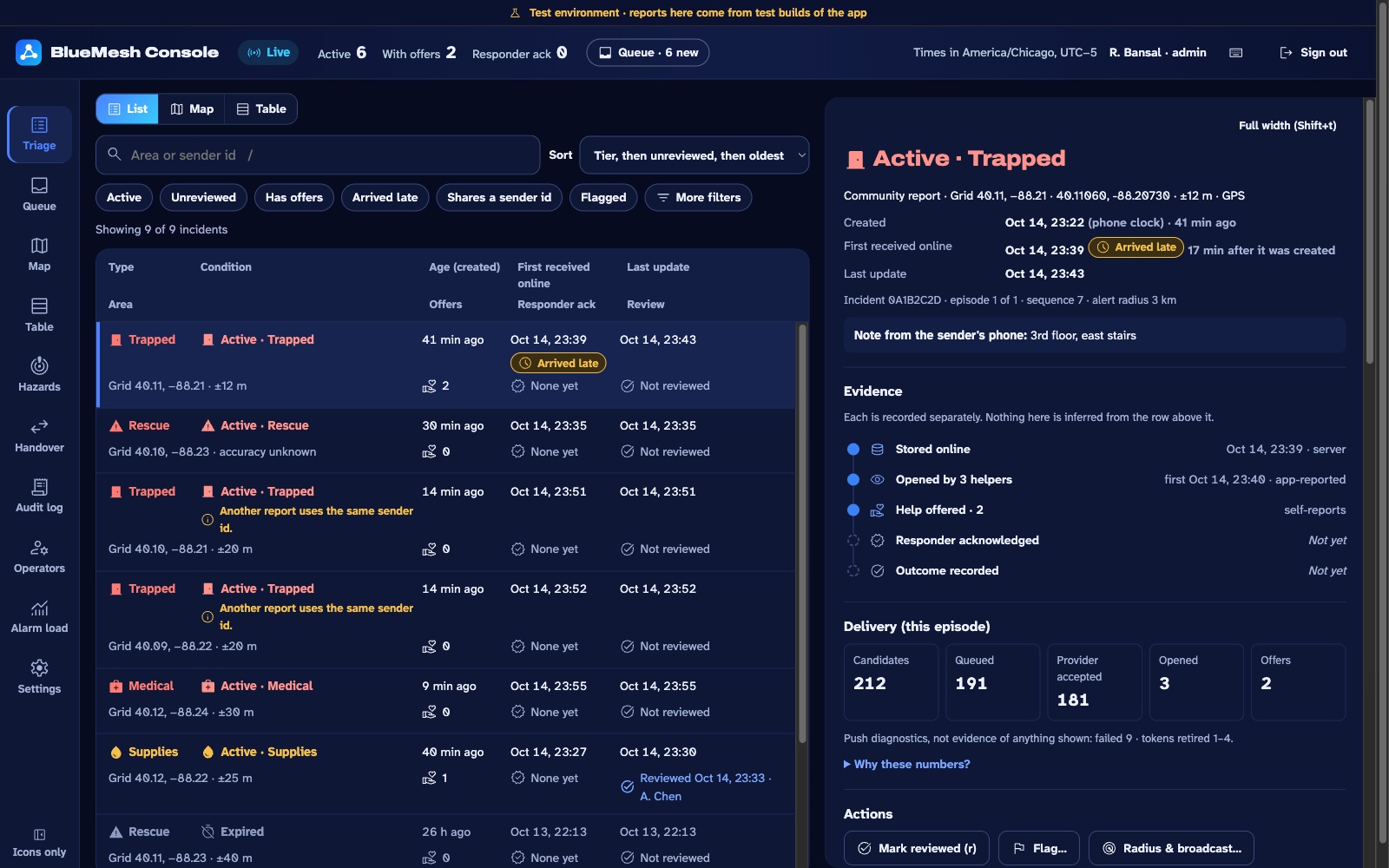
The operations dashboard shows every report the phones see, on a map and in a triage queue, with when each was made, when it was first stored online and what has happened since.
Invite only: accounts are created by an admin for the teams using it.
No. BlueMesh doesn't contact 911 or 112. If you can call emergency services, call them first. BlueMesh is for when the call won't go through.
Each hop is Bluetooth range, tens of metres. There's no limit on hops, so a report moves as far as phones running BlueMesh carry it, until one of them gets online.
No. The app creates an anonymous identity for your phone by itself. There's no email, phone number or password, and asking for help never waits for it.
Relaying uses Bluetooth Low Energy in the background. You choose how hard it works in Settings, from Battery Saver to Bridge, and your own SOS is never slowed down.
Reports expire 24 hours after they were made, however many phones carried them. You can renew your SOS, or tell everyone you're safe at any time.
iPhone and iPad with iOS 26 or later. The operations dashboard runs in any modern browser.
Run the demo at the top of this page, or ask Rishabh for a two-device trial on his iPhone and iPad. BlueMesh isn't on the App Store or TestFlight yet. How a trial works
Turn on Help carry reports and your phone becomes part of the path for someone else's SOS.